
Get dedicated help from our Support Team.
An Easy On Hold technician will reach out to help resolve any issues with your Genesys Cloud integration.


Sync the Genesys Cloud Easy On Hold App with your EOH Account
Log In
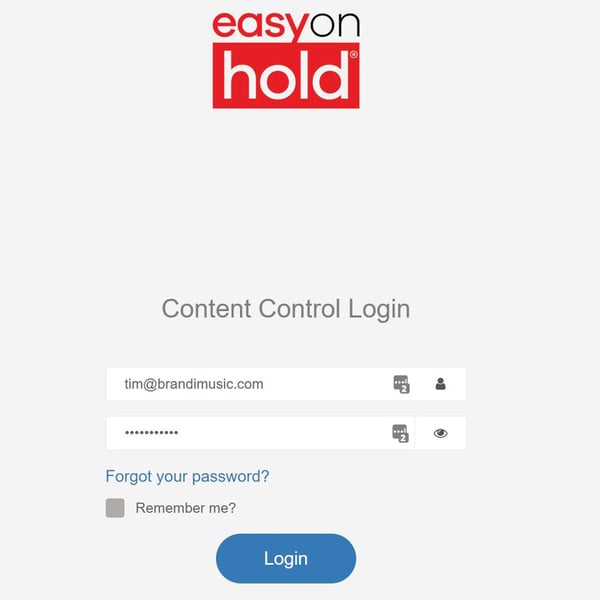
Head to easyonholdcloud.com and log into your Easy On Hold account.
Contact Support above for login help.
My Company Tab
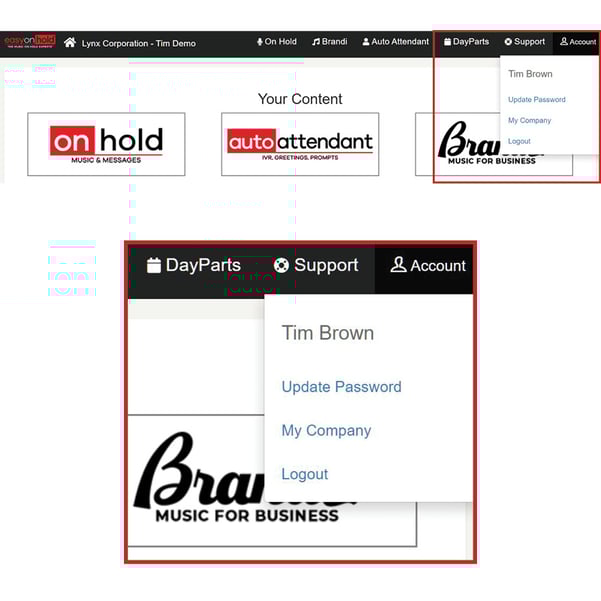
Under "Account", navigate to "My Company" to get to your settings.
Edit Integrations
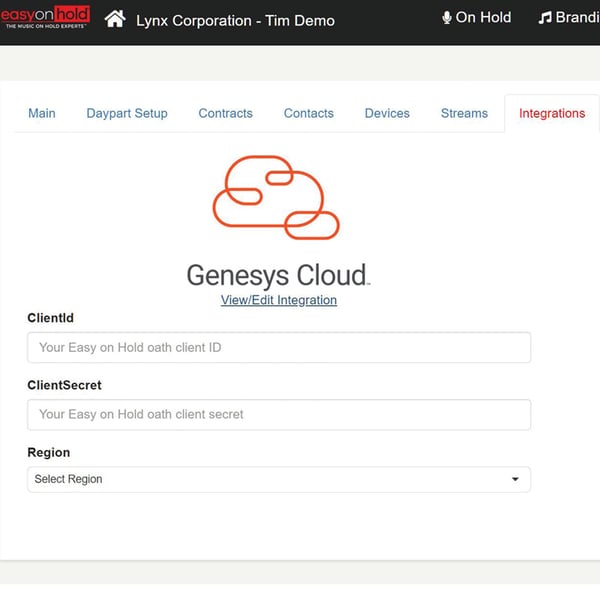
Under "Integrations", you'll find the Genesys Cloud App details.
Enter ClientID, ClientSecret, and Region.
Contact your Genesys Cloud Admin to obtain this info.
Haven't installed the Easy On Hold App?
All Genesys Cloud users can integrate with an EOH account.
If you don't yet have an Easy On Hold account, you can purchase directly from the Genesys AppFoundry. Your Genesys Account Representative will help you choose the right content package and install the EOH App into your system. We'll handle the rest.
How it works:
- Choose either Instrumental Music or Music + Message packages with updates.
- Your Genesys Cloud Admin then installs the Easy On Hold app.
- Easy On Hold will reach out to set up your account and produce your content.
Already have an EOH account?
If you have an EOH account and wish to use the Easy On Hold app , fill out the form above and we can help you get set up.
Please include "Current client, wishing to use Genesys App" in the notes for the quickest assistance.